
Microsoft Word VBA Guidebook (Table of Contents)
Summary: Creating Word macros allows you to extend your productivity with Word. Visual Basic for Applications (VBA) is the programming language used for creating Word macros. Here is the complete table of contents from this expert guide for creating macros.
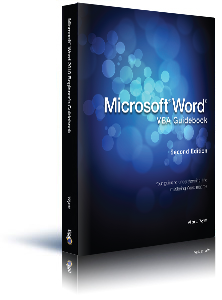
Microsoft Word VBA Guidebook, Second Edition, includes 269 information-packed pages. The following is the Table of Contents:
Introduction
- Who Did I Write this Book For?
- What Does this Book Cover?
- What Doesn't this Book Cover?
- Where Do You Go from Here?
- A Word about WordTips
1: Introducing Macros in Word
- Understanding VBA
- Introducing the Visual Basic Editor
- Displaying the Developer Tab
- How to Enable Macros
- Creating Macros
- Recording a Macro
- Writing a Macro from Scratch
- Running Macros
- Editing Macros
- Deleting Macros
2: Elements of Macros
- Projects and Modules
- Understanding Procedures
- Subroutines
- Functions
- Procedure Scope
- Adding Comments
- Continuing Lines
- Variables and Operators
- Understanding Data Types
- Understanding Operators
- Using Objects and Collections
- Word's Object Model
- Grouping Similar Objects Together
- Assigning Objects to Variables
- Understanding Object Members
- Doing Operations with Methods
- Working with Properties
- Making Sense of Members
- VBA Constants
- Using Literal Constants
- Creating Symbolic Constants
- Word's Enumerations
3: Naming Considerations
- Naming Macros
- Renaming Macros
- Where Macros are Stored
- Specifying a Location when Recording a Macro
- Specifying a Location when Creating a Macro from Scratch
- Event Handlers
- Automatic Macros
- Changing Built-In Word Commands
4: Understanding the VBA Environment
- Displaying the Visual Basic Editor
- Parts of the Environment
- The Menu Bar
- The Toolbar
- The Project Explorer
- The Properties Window
- The Code Window
- The Immediate Window
- Getting Help
- Searching for Help
- Navigating the Help System
- Customizing How VBA Works
- Program Options
- Project Properties
- Quitting the Visual Basic Editor
5: Managing Macros
- Adding Macros to Word's Interface
- Adding Macros to the Quick Access Toolbar
- Adding Macros to Ribbon Tabs
- Creating Shortcut Keys for Macros
- Using the Organizer
- Exporting Macros
- Importing Macros
6: Using VBA's Built-In Functions
- The Benefits of Functions
- Date and Time Functions
- How VBA Stores Times and Dates
- Determining Today's Date
- Determining the Current Time
- Getting Both the Time and Date
- Extracting Part of the Date
- Displaying a Weekday Name
- Extracting Part of the Time
- Differences between Two Dates
- Deriving a Date
- String Functions
- Comparing Strings
- Converting Strings
- Creating Strings
- Other String Functions
- Math Functions
- Extracting an Integer
- Generating Random Numbers
- Determining the Sign of a Number
- Positive Values
- Formatting
7: Controlling Program Flow
- Conditional Execution
- If ... Then
- Select Case
- Switch
- Looping Structures
- For Loop
- For Each Loop
- Do Loop
- While Loops
- GoTo
8: Using Data Structures
- Understanding Arrays
- Setting Up an Array
- Changing Arrays on the Fly
- Multidimensional Arrays
- Getting Information about an Array
- Starting to Count
- User-Defined Data Types
9: Getting Input for Your Macros
- Creating a Message Box
- The Message
- The Title
- Icons, Buttons, and Responses
- Getting User Input
- The Prompt
- The Title
- Default Input
- Screen Coordinates
- Built-In Dialog Boxes
- Available Dialog Boxes
- Displaying Dialog Boxes
- Accessing Dialog Box Settings
10: Working with a Document
- The Document Object
- Creating New Documents
- Opening Existing Documents
- Getting to a Document's Name
- Accessing Paragraphs
- Adding Paragraphs
- Accessing Paragraphs
- Deleting Paragraphs
- Accessing Styles
- Using Explicit Formatting
- Formatting Paragraphs
- Formatting Characters
- Using Bookmarks
- Adding Bookmarks
- Accessing Existing Bookmarks
- Deleting Bookmarks
- Saving Documents
- The Close Method
- The Save Method
- The SaveAs Method
11: Working with Selections and Ranges
- Creating a Selection
- Finding Information about the Selection
- General Information
- Selection Information
- Table Information
- Editing the Selection
- Adding Text
- Inserting Paragraphs
- Deleting Text
- Collapsing the Selection
- Creating a Range
- Editing a Range
- Adding Text
- Replacing Text
- Deleting Text
12: Working with Tables
- Creating Tables
- Changing Table Structure
- Deleting Rows and Columns
- Adding Rows and Columns
- Merging and Splitting Cells
- Changing Table Characteristics
- Changing Row Height and Column Width
- Changing Formatting
- Adding Information to Tables
- Deleting Tables
13: Searching and Replacing
- Finding Things
- Find Properties
- Executing a Search
- Using Find to Modify Your Document
- Replacing Things
14: Working with Non-Document Files
- File Types
- Text Files
- Foreign File Formats
- Import/Export Formats
- File Basics
- Opening a File
- Handling File Errors
- Reading Data Files
- Closing Files
- Types of File Access
- Sequential Files
- Random-Access Files
- Binary Files
15: Debugging and Error Handling
- What Are Bugs?
- Syntax-Related Errors
- Logic-Related Errors
- Operation-Related Errors
- Why are Bugs a Problem?
- Keeping Bugs Out
- What is Debugging?
- Getting Rid of Bugs
- Single Stepping
- Breakpoints
- Watch Expressions
Index
When you click on a "Buy Now" link above, that product is added to your shopping cart. You can then click the shopping-cart icon, in the lower-right corner, to begin the checkout process.
Important Ordering Notes:
If you live in a European Union (EU) country, please do NOT order the CD-ROM. Your order will go through, but I will need to then cancel the order. The reason is simple: The EU requires the procurement of a special shipping license (for the lack of a better term) that makes it onerous and economically untenable for a small company such as mine to ship physical products into EU countries. Please, order a downloadable product, instead. There are no restrictions (yet) on downloadable products.
If you live in a country that imposes value-added taxes (VAT) and you order a physical product, you will need to pay the VAT when the order is delivered to you. I do not collect VAT at the time of ordering, nor is the VAT included in your purchase price.
You can also order Word VBA Guidebook by calling our order line: 307-200-0450.