
WordTips Ribbon 2025 Archive (Table of Contents)
Summary: WordTips is a weekly newsletter that provides tips on how to best use Microsoft's word processing software. At the beginning of every year we put together an archive of all the tips published the previous year. Here is the complete table of contents for the archive for the WordTips (ribbon) newsletter for the year 2025.
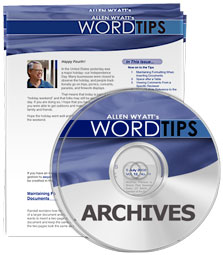
WordTips Ribbon 2025 Archive includes hundreds of valuable tips. The following is the Table of Contents for the archive:
Introduction
- What's in This E-Book?
- Need More Tips?
- A Special Note of Thanks
- Sharing this Document
General Tips
- Horizontally Viewing All Your Text
- Controlling Scroll Bars
- Making the Show/Hide Setting Persistent
- Displaying Only Some Non-Printing Characters
- Embedding Your Phone Number in a Document
- Automatically Updating Fields and Links
- Avoiding the Update Links Message
- Adjusting Gridline Spacing
- Direction Arrows Confused
- Generating a Shortcut Key List
- Using an Older Font with Word
- Increasing Font Size in the Editor Task Pane
Editing Tips
- Moving Text Using the Mouse
- Slowing Down Mouse Selection
- Overcoming Automatic Word Selection
- Entering a Degree Sign
- Output Error when Pasting Right-to-Left Text
- How Word Handles Abbreviations
- Highlighting Text Using the Keyboard Only
- Shortcut Key to Delete a Paragraph
- Pasted Text is Surrounded by Boxes
- Placeholders for Stamps
- Overlining Characters
- Pasting Text in a Specific Language
- Finding Long Paragraphs
- Lines Breaking between Double Spaces
- Converting Citations from Chicago to APA Style
Searching Tips
- Putting Shift+F4 On the Quick Access Toolbar
- Replacing without Automatically Finding
- Highlighting Found Text
- Using Search Text in the Replacement
- Finding Text Not Using a Particular Font
- Finding Text Boxes
- Copying Found Items to a New Document
- Available Caret Codes
- Finding Quoted Text in VBA
- Flagging Incorrect Commas in Numbers
- Setting Table Values to Three Decimal Places
- Replacing First-Line Indents with Tabs
- Removing HTML Tags from Text
- Finding Text Using a Specific Highlighting Color
Markup Tips
- Using Track Changes
- Protecting Tracked Changes
- Tracked Changes Notification when Opening
- Turning Off Document Protection
- Deleting All Comments
- Counting Changed Words
- Removing an Irritating Comment Icon
Character Formatting Tips
- Quickly Changing Font Sizes
- Changing Kerning
- Fixing Vertically Cramped Text
- Changing the Language Setting for All Document Text
- Understanding Underlines
- Formatting Currency
- Special Symbols Display Incorrectly
- Copied Text Prints in Gray
- Italic Typing Doesn't Stay Italic
- Applying Bold Italics
- Adding Vertical Lines at the Sides of a Word
Paragraph Formatting Tips
- Forcing a Page Break Before a Paragraph
- Automatic Numbers with Leading Zeroes
- Hanging Indent Shortcut
- Decreasing a Paragraph's Indent
- Continuing Your Numbering
- Converting List Types
- Converting Lists to Text
- Hidden Numbered Items Still Affect Numbering
- Automatically Setting Right Leader Tabs
- Formatting All Headings At Once
- Formatting E-mail using AutoFormat
- Breaking Lines in E-mail
- Removing a Multilevel List
- Creating Sideheads
- Including a Leading Zero in Numbered Lists
- Reversing Type
- Flush Left and Flush Right On the Same Line
Section and Document Formatting Tips
- Setting a Precise Custom Paper Size
- Ensuring Space Before at the Start of a Page
- Adding a Break to Your Document
- Adding a Background to Your Document
Styles and Templates Tips
- Defining Styles
- Deleting Unused Styles
- Turning Off Automatic Hyphenation for Parts of a Document
- Keeping the Styles Pane Open by Default
- Conditional Style Application
- Marking Directly Formatted Text
- Adding Text before Numbering
- Protect Your Document Templates
- Templates and Page Setup
- Listing the Settings in a Template
- Blocking a Theme Change
Tables Tips
- Drawing a Table
- Resizing Your Table
- Quickly Moving Your Table
- Nudging a Table
- Changing Cell Alignment
- Setting Consistent Column Widths in Multiple Tables
- Formatting a Table Using a Macro
- Increasing Space between Cell Borders and Cell Contents
- Shading Table Rows
- Noting Table Rows Containing a Character
- Finding Text at the End of a Table Cell
- Removing Whitespace from Table Cells
- Blank Page Printing after Table at End of Document
- How to Stop a Table Row from Splitting Over Two Pages
- Unwanted Numbering on Pasted Tables
- Copying Tables to a New Document
Footnotes and Endnotes Tips
- Replacing Just in the Footnotes
- Using Both Find and Replace
- Using Styles
- Using Views
- Replacing Asterisks with a Footnote
- Moving Text to a New Footnote
- Printing or Extracting Footnotes
- Converting Individual Endnotes and Footnotes
- Changing the Way Endnotes Are Numbered
- Searching for Footnote and Endnote Marks
- Making Endnotes Part of the Footnotes
- Creating Unnumbered Endnotes
Header and Footer Tips
- Editing Headers and Footers
- Quickly Formatting Footers in Documents with Many Sections
Fields Tips
- Selecting a Field
- Inserting the Date Your Document Was Last Printed
- Generating Dynamic QR Codes
- Inserting Page Number Cross-References
- Showing a Dynamic Number Range in a Header
- Differences between SEQ and LISTNUM Fields
- Standard Text before a Sequence Number
- Special Characters in Fields
- Implementing a Dynamic Document Control Table
- Printing Index Field Codes
Printing Tips
- Printing All Open Documents
- Printing a Draft of a Document
- Turning Off Printing of Document Properties
- Printing Custom Properties
- Making Use of Extra Labels
- Specifying a Label Stock for Saved Documents
- Printing Non-Printing Characters
- Printing via Macro without Messages
- Printing in White
- Printing Duplex for a Portion of a Document
- Understanding Background Printing
- Errors while Printing
Envelope, Label, and Mail Merge Tips
- Controlling Page Numbers in Mail-Merged Documents
- Controlling Date Formats in a Mail Merge
- Getting Rid of Blank Labels in a Filtered Merge
- Changing the Return Address Location
- Maintaining Delivery Address Information for Envelopes
- Default Envelope Margins
- Sorting Inventory Labels
- Vertically Centering Labels
Graphics Tips
- Filling A Drawing Object
- Getting Higher Resolution Images
- Rotate a Graphic Using the Keyboard
- Adding Custom Page Border Art
- Understanding Fill Effects
Files Tips
- Changing the Default Document Format
- Document Shows as 'In Use' by Another User
- Saving Documents as Read-Only by Default
- Turning Off HTML Conversions
- Determining the Length of a Non-Document Text File
- Appending to a Non-Document Text File
- Determining If the End of a Text File Has Been Reached
Online Tips
- Editing a Hyperlink
- Changing Hyperlink Display Text
- Hyperlinks Not Found
- Generating a List of Hyperlink Targets
- Pop-up Windows in Word
Spelling and Grammar Tips
- Making Ignore All Work for a Document on All Systems
- Spell Check Misses Misspelled Words
- Adding a Group of Words to the Custom Dictionary
- Expanding a Custom Dictionary
Tools Tips
- Sorting an Album List
- Recording an Audio Version of a Document
- Automatic AutoCorrect Exceptions for Beginning Sentences
- Inserting a Frame
- Stopping a Two-Word Phrase from being Flagged as an Error
- Insert a TOC without Upsetting Pagination
- Adjusting Location of a Heading Code in a TOC
- Code Appears in Both Headings and TOC Entries
- Code Appears in TOC Entries, but Not Headings
- An Important Caveat
- Numbering Equations
- Changing the Document Inspector's Comment Name
- Understanding Outlining in Word
- Changing Outline Structure
- Controlling How Body Text is Displayed
- Inserting the Line Number of a Bookmark
- Printing a Bookmark List with Contents
- Deleting Unused Bookmarks
- AutoText Entries for Multiple Users
- QuickWords in Word
Macros Tips
- Declaring Variables
- Understanding Subroutines
- Understanding the While...Wend Structure
- Defining a Shortcut for a Macro
- Detecting an Open Dialog Box
- Getting User Input in a Dialog Box
- Counting Words the Old Fashioned Way
- Checking for a Text Selection Length
- Inserting Text with a Macro
- Controlling the Italic Text Attribute
- Automating a Two-Column Section
- Finding Long Sentences
- Determining the Day of the Year
- Determining the Length of a String
- Adding Parentheses
- Deriving an Absolute Value
- Occurrences of a Text String within a Document
- Determining an ANSI Value
- Getting the Names of Defined Bookmarks
- Changing Lots of Title Properties
- Extracting INCLUDEPICTURE File Names
- Adding Automatic Time Stamps
Order Your WordTips Archives Today!
Each download item shown below includes the size of the download file. If you have a slow connection to the Internet, you can save precious time by ordering your archives on CD-ROM, instead of as a download.
 The WordTips archives include PDF documents. To read these documents, you need to have either Adobe Acrobat or Adobe Reader on your system. Adobe Reader is free to download; click the link to get the latest version.
| Archive Year | Dates Covered | CD | Download |
|---|---|---|---|
| WordTips Ribbon 2021 (for Word 2007, 2010, 2013, 2016, 2019, and Microsoft 365 users) |
2 Jan 21 — 25 Dec 21 312 tips |
||
| WordTips Ribbon 2022 (for Word 2007, 2010, 2013, 2016, 2019, 2021, and Microsoft 365 users) |
1 Jan 22 — 31 Dec 22 208 tips |
||
| WordTips Ribbon 2023 (for Word 2007, 2010, 2013, 2016, 2019, 2021, and Microsoft 365 users) |
7 Jan 23 — 30 Dec 23 311 tips |
||
| WordTips Ribbon 2024 (for Word 2007, 2010, 2013, 2016, 2019, 2021, and Microsoft 365 users) |
6 Jan 24 — 28 Dec 24 250 tips |
||
| WordTips Ribbon 2025 (for Word 2007, 2010, 2013, 2016, 2019, 2021, 2024, and Microsoft 365 users) |
4 Jan 25 — 27 Dec 25 208 tips |
When you click on a "Buy Now" link above, that product is added to your shopping cart. You can then click the shopping-cart icon, in the lower-right corner, to begin the checkout process.
Important Ordering Notes:
If you live in a European Union (EU) country, please do NOT order the CD-ROM. Your order will go through, but I will need to then cancel the order. The reason is simple: The EU requires the procurement of a special shipping license (for the lack of a better term) that makes it onerous and economically untenable for a small company such as mine to ship physical products into EU countries. Please, order the archive download, instead. There are no restrictions (yet) on downloadable products.
If you live in a country that imposes value-added taxes (VAT) and you order a CD-ROM, you will need to pay the VAT when the order is delivered to you. I do not collect VAT at the time of ordering, nor is the VAT included in your purchase price.